

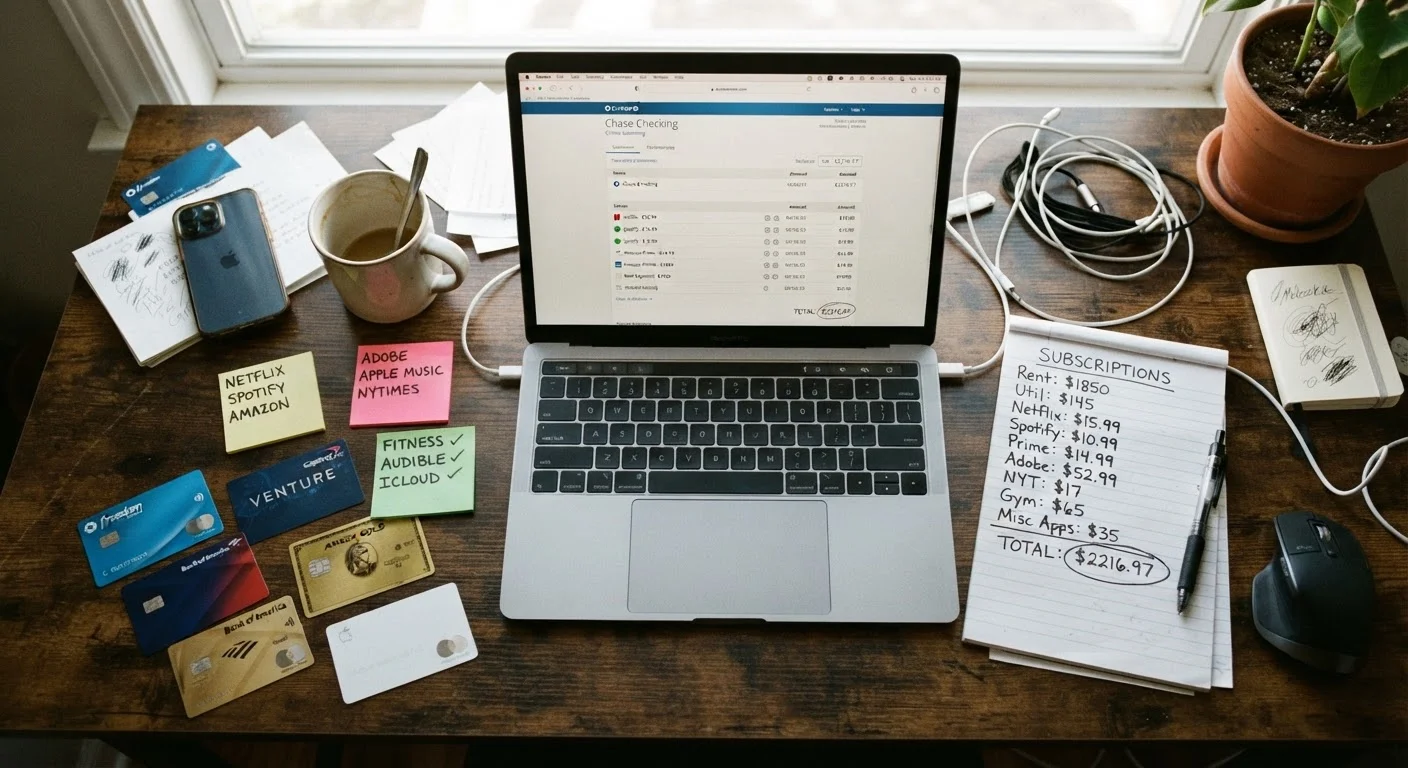
Key Takeaways
- Most households carry several forgotten subscriptions that collectively cost hundreds of dollars annually.
- A full audit requires pulling bank and credit card statements - not just relying on memory.
- Categorizing subscriptions by value and usage frequency makes cancellation decisions straightforward.
- Setting calendar reminders before free trials end prevents unwanted auto-renewals.
- Revisiting your subscriptions quarterly keeps spending aligned with actual household needs.
What you will need
Why Subscription Creep Happens - and How Quickly It Adds Up
Subscription creep is the gradual accumulation of recurring charges that individually seem small but collectively represent a significant line item in a household budget. A $4.99 music tier here, a $12.99 streaming add-on there, a fitness app from a New Year's resolution - none of these feel consequential at sign-up. But across a typical US household, the total can easily exceed $200-$300 per month, much of it on services that see irregular or no use.
Several factors make this drift hard to notice. Subscriptions are designed to require active effort to cancel, while sign-up is intentionally frictionless. Annual billing makes charges feel like one-off events. And online shopping has introduced a new layer of risk, where subscriptions are sometimes bundled into checkout flows in ways that aren't obvious - see our guide to recognising auto-renewal sign-ups hidden in online orders for more on that pattern.
The audit process below is designed to give you a complete, honest picture of what you're currently paying for - and the decision framework to act on it. This is general financial information to help you manage spending; for decisions involving debt, credit, or broader financial planning, consulting a qualified financial professional is always worthwhile.
What you will need
What You'll Need Before You Start
Running an effective audit requires actual transaction data, not estimates. Gather the tools below before beginning - a half-prepared audit typically misses the subscriptions that matter most.
Bank and credit card statements (3 months)
Provides the authoritative transaction history needed to identify all recurring charges, including obscure ones.
Spreadsheet or notebook
Used to record every subscription found, its cost, billing cycle, and whether it's being kept or cancelled.
Email inbox search
Searching for keywords like 'receipt', 'renewal', or 'subscription' surfaces confirmation emails tied to active accounts.
Mobile device subscription settings
iOS and Android both have built-in menus listing active app subscriptions billed through the device's app store.
Calendar app
Used to set reminders ahead of trial end dates and the next audit cycle.
Check Every Payment Method You Use
Subscriptions can attach to credit cards, debit cards, PayPal, Apple ID, Google Play, or even an old card on file. Auditing only one account leaves gaps. Pull statements from every payment source your household uses to get a complete picture.
The Step-by-Step Subscription Audit
Follow these steps in order. The first two steps - pulling statements and searching email - do the heavy lifting and together typically surface 80-90% of active subscriptions. Steps three through seven refine the picture and put decisions into action.
Pull three months of transaction history across all payment methods
Log into every bank account, credit card, and payment platform your household uses and download or view statements from the past three months. Look specifically for any charge that repeats - monthly, quarterly, or annually. Flag amounts ending in .99 or .00, which are common subscription price points. Don't rely on memory; the whole point of this step is to surface charges that have faded from conscious awareness.
Search your email for subscription and renewal confirmations
In your primary email account, search for terms like 'receipt', 'invoice', 'subscription confirmed', 'auto-renewal', and 'payment processed'. This often uncovers services you signed up for years ago, especially those billed annually where the charge is easy to miss. Check any secondary email addresses you may have used for account sign-ups as well.
Check in-app subscription settings on your mobile devices
Both Apple and Google provide centralized lists of active subscriptions billed through their platforms. On an iPhone or iPad, go to Settings > [your name] > Subscriptions. On Android, open the Google Play Store > Profile icon > Payments & subscriptions > Subscriptions. These lists often include apps downloaded and forgotten, still quietly billing each month.
Build a complete subscription inventory
Create a simple table - in a spreadsheet or on paper - listing every recurring charge you've found. For each entry, record: the service name, the monthly or annual cost, the billing date, the payment method it's attached to, and a brief note on how frequently the household actually uses it. This single document becomes the basis for every decision that follows.
Categorize each subscription by value and usage
Review your inventory and assign each item one of three labels:
- Keep: Used regularly and worth the cost.
- Cancel: Rarely or never used, or duplicated by another service you already pay for.
- Review: Occasionally useful but possibly redundant or overpriced - worth investigating whether a lower-tier plan exists or whether you could share an account.
Be honest about usage. A streaming service watched once in six months is a 'Cancel', regardless of its theoretical value.
Cancel or downgrade subscriptions in the 'Cancel' and 'Review' categories
Work through your cancellation list systematically. Most services can be cancelled through their account settings page. For subscriptions billed through Apple or Google, cancel directly within those platform menus - cancelling through the app itself may not stop the platform-level charge. For any service that makes cancellation difficult, a written record of your cancellation attempt (screenshot or email confirmation) is useful to have.
Set reminders for future trial periods and annual renewals
For any subscriptions you're keeping, note their next renewal dates in a calendar app with a reminder set 5-7 days in advance. Do the same for any free trials you're currently in. This small step prevents the most common source of unwanted charges: forgetting a trial is ending. Schedule a full repeat of this audit in 90 days to catch anything new that has accumulated.
Cancellation Doesn't Always Mean Immediate Stopping
Some services continue billing through the end of the current billing cycle even after you cancel. Note the cancellation date and confirm in writing - or by screenshot - so you have a record if a charge appears after you've opted out.
Keeping Your Subscription Load Under Control Going Forward
A one-time audit is valuable, but the households that maintain the most budget breathing room treat this as a quarterly habit rather than a one-off exercise. Pair it with a broader monthly budget review - our monthly household audit checklist offers a structured template for that broader reset.
Make It a Household Activity
Looping in a partner or older children makes the audit faster and surfaces subscriptions tied to other family members' accounts. Shared ownership of the process also builds lasting budget awareness across the household.
Subscription creep is one of several quiet drains on family spending. Recurring grocery habits work similarly - small, repeated decisions that compound over time. Our piece on grocery spending patterns that quietly drain the family budget applies the same audit-and-adjust logic to the supermarket. Once your subscriptions are under control, the next step is looking at the full picture of recurring household expenses - our guide on cutting recurring expenses without gutting your quality of life covers utilities, insurance, and other fixed costs using the same practical framework.